
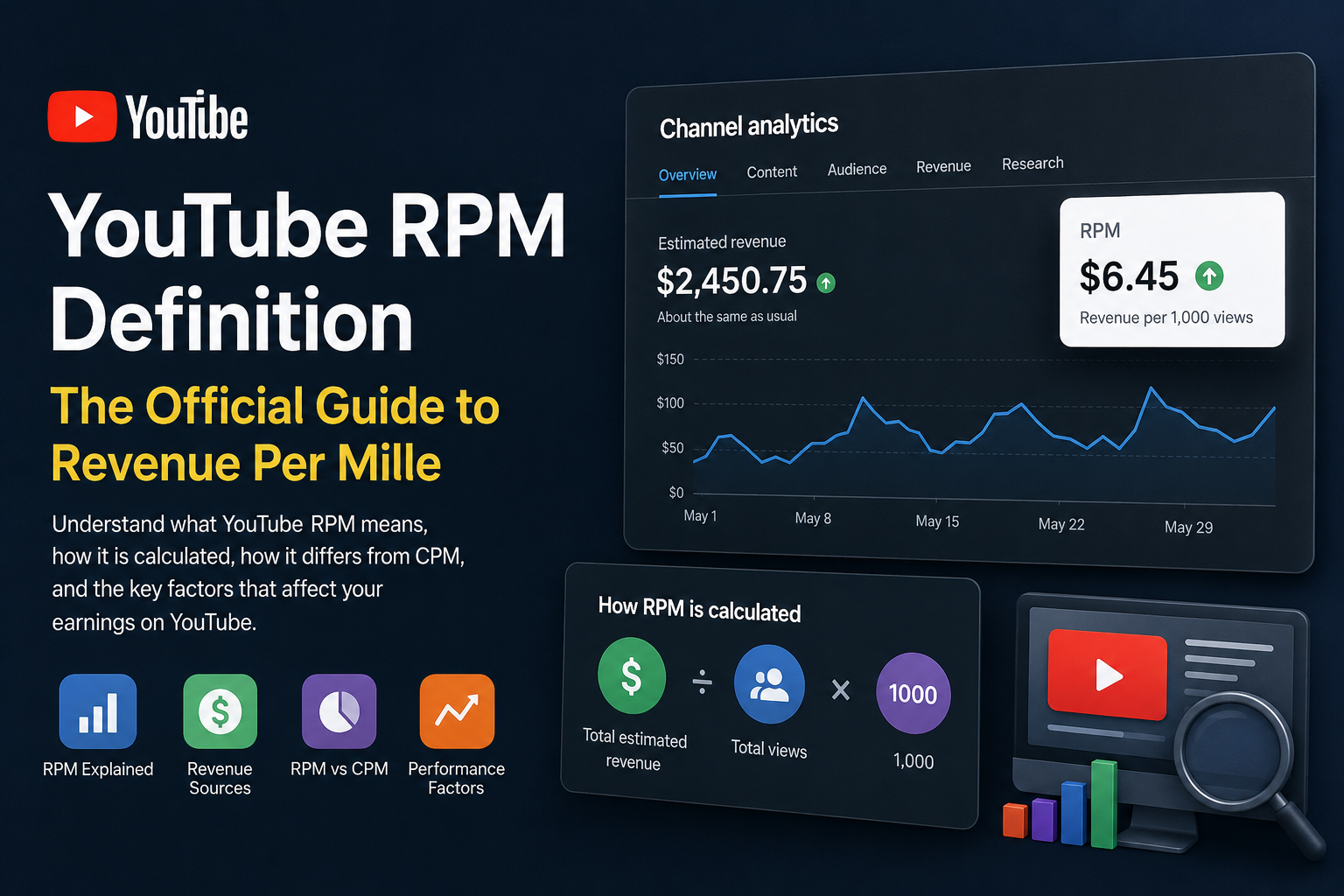
If you’ve searched for “Google AdSense YouTube RPM definition official,” you’re likely looking for Google’s official explanation of Revenue Per Mille (RPM) and how it relates to YouTube earnings.
RPM is one of the most frequently misunderstood metrics in YouTube Studio. Many creators confuse it with CPM, advertiser spending, or AdSense earnings. In reality, RPM is a creator-focused performance metric that estimates how much revenue a channel earns for every 1,000 video views across eligible monetization sources.
Understanding RPM is essential because it provides a more complete picture of channel performance than ad revenue alone. Whether you are a new YouTube creator or manage a large monetized channel, knowing what RPM measures—and what it does not—can help you make more informed decisions about your content strategy and revenue expectations.
This guide explains the official Google definition of YouTube RPM, how Google calculates it, how it differs from CPM, what influences RPM, and why it changes over time.
What Is RPM on YouTube?
RPM stands for Revenue Per Mille, where mille is the Latin word for one thousand.
According to Google’s official documentation, RPM represents the estimated revenue earned for every 1,000 video views after taking YouTube’s revenue-sharing model into account.
Unlike advertising metrics that focus on advertiser costs, RPM is designed specifically for creators. It reflects the amount a creator earns rather than the amount advertisers spend.
Google calculates RPM using this formula:
RPM = (Estimated Revenue ÷ Total Views) × 1,000
This formula allows creators to compare the earning performance of videos, channels, and different time periods regardless of total view count.
Google’s Official YouTube RPM Definition
Google defines RPM as:
Revenue per mille (RPM) is a metric that represents how much money you’ve earned per 1,000 video views. RPM is based on several revenue sources, including ads, Channel Memberships, YouTube Premium revenue, Super Chat, Super Stickers, and Super Thanks.
Several important points can be taken directly from this definition:
- RPM is based on estimated revenue, not finalized payments.
- RPM is calculated using total video views, not only monetized views.
- RPM includes multiple monetization sources, not just advertising.
- RPM reflects the creator’s earnings after YouTube’s revenue-sharing system has been applied.
These details explain why RPM is often considered one of the most useful metrics available in YouTube Studio.
Why Google Uses RPM Instead of Only Showing Ad Revenue
Advertising revenue alone tells only part of the story.
Many creators earn money through additional monetization features such as:
- YouTube Premium
- Channel Memberships
- Super Chat
- Super Stickers
- Super Thanks
- Shopping features
If YouTube only displayed advertising income, creators would not have a complete understanding of how effectively their content generates revenue.
RPM combines these income sources into one standardized metric, making it easier to compare overall earning performance.
Understanding the RPM Formula
Google calculates RPM using a simple mathematical equation:
RPM = Estimated Revenue ÷ Total Views × 1,000
Although the formula is simple, understanding each variable is important.
Estimated Revenue
Estimated Revenue represents the revenue YouTube estimates that your channel generated during a selected period.
It may include:
- Advertising revenue
- YouTube Premium revenue
- Fan funding
- Membership income
- Other eligible monetization features
Because this number is estimated, it may differ slightly from finalized earnings reported later through AdSense.
Total Views
Unlike CPM, RPM uses all eligible video views.
This includes:
- Monetized views
- Non-monetized views
- Views from YouTube Premium subscribers
- Views where no advertisement was shown
Using total views makes RPM a broader indicator of overall channel performance.
RPM Calculation Example
Imagine your channel generated the following statistics during one month.
| Metric | Value |
|---|---|
| Total Views | 250,000 |
| Estimated Revenue | $1,250 |
RPM calculation:
RPM = ($1,250 ÷ 250,000) × 1,000
RPM = $5.00
This means your channel earned approximately $5 for every 1,000 video views.
Notice that RPM does not indicate how much advertisers paid. Instead, it reflects your estimated earnings after YouTube’s revenue-sharing model.
What Revenue Sources Are Included in RPM?
One of the most common misconceptions is that RPM measures advertising revenue only.
Google’s official documentation makes it clear that RPM may include several monetization sources.
Depending on your eligibility and channel features, RPM can include:
Advertising Revenue
This is the most familiar revenue source.
Advertising formats may include:
- Skippable in-stream ads
- Non-skippable ads
- Bumper ads
- Display ads
- Overlay ads
- In-feed video ads
Advertising revenue usually represents the largest portion of RPM for many creators.
YouTube Premium Revenue
When YouTube Premium subscribers watch your videos, they do not see advertisements.
Instead, Google distributes a portion of Premium subscription revenue to creators based on watch time and viewer engagement.
This means creators can still generate revenue even when no advertisement appears.
Many creators overlook this important contribution to RPM.
Channel Memberships
Eligible creators can offer monthly memberships that provide exclusive benefits to subscribers.
Membership revenue is included in RPM calculations because it contributes to the creator’s total estimated earnings.
Super Chat
During live streams, viewers may purchase highlighted chat messages.
These purchases contribute directly to creator revenue and therefore become part of RPM.
Super Stickers
Animated stickers purchased during live streams also contribute toward RPM.
Although they are separate monetization features, Google includes them when calculating total estimated revenue.
Super Thanks
Super Thanks allows viewers to financially support creators directly on uploaded videos.
Revenue from Super Thanks also contributes to RPM calculations.
Shopping Revenue
Some creators participate in YouTube Shopping.
Depending on eligibility, revenue generated through shopping features may also contribute to overall estimated revenue.
Why RPM Is Considered a Better Creator Metric
From a creator’s perspective, RPM provides a more realistic picture of channel performance than advertiser-focused metrics.
Rather than focusing only on advertising prices, RPM measures how efficiently your channel converts views into earnings.
Two channels with identical view counts may have dramatically different RPM values because of differences in audience location, content niche, monetization features, viewer engagement, and advertiser demand.
For this reason, experienced creators often monitor RPM alongside watch time, audience retention, and revenue reports to evaluate overall business performance.
RPM vs CPM (Core Difference Explained)
One of the most important distinctions in YouTube monetization is the difference between RPM and CPM. These two metrics are often confused, but they measure completely different economic perspectives.
CPM (Cost Per Mille)
CPM represents the cost advertisers pay per 1,000 ad impressions.
It is an advertiser-side metric and does not reflect creator earnings directly.
CPM is influenced by:
- Advertiser competition
- Ad format (skippable, non-skippable, bumper)
- Geographic targeting
- Seasonality in ad spending
RPM (Revenue Per Mille)
RPM represents the creator’s estimated earnings per 1,000 total video views.
It is a creator-side metric that includes:
- Ad revenue
- YouTube Premium revenue
- Memberships
- Super Chats / Stickers / Thanks
Key Structural Difference
| Metric | Perspective | Base Unit | Includes | Purpose |
|---|---|---|---|---|
| RPM | Creator | 1,000 total views | All revenue sources | Earnings performance |
| CPM | Advertiser | 1,000 ad impressions | Ads only | Advertising cost |
Practical Interpretation
A high CPM does not guarantee a high RPM.
Example scenario:
- CPM = $12 (strong advertiser demand)
- Low monetized view rate (few ads shown)
- Result: RPM might still be $3–$5
This gap exists because not every view generates an ad impression.
Playback-Based CPM (YouTube Internal Metric)
YouTube also reports Playback-based CPM, which is different from standard CPM.
Definition
Playback-based CPM measures:
The estimated amount advertisers pay per 1,000 monetized playbacks.
Key Distinction
Playback-based CPM only considers monetized views, not all views.
Comparison:
- CPM → all ad impressions
- Playback CPM → monetized playbacks only
- RPM → all views + all revenue sources
Why This Matters
Playback-based CPM is often higher than RPM because:
- It excludes non-monetized views
- It excludes YouTube Premium revenue
- It excludes membership and fan funding revenue
RPM vs AdSense Revenue (Important Clarification)
Another common misconception is equating RPM directly with AdSense earnings.
Reality:
- RPM is a YouTube Analytics metric
- AdSense is a payment system
- Final AdSense earnings may differ slightly from YouTube estimates
Why differences occur:
- Late adjustments in ad revenue reporting
- Invalid traffic filtering
- Currency conversion updates
- Delayed revenue attribution from Premium or memberships
Why YouTube RPM Changes Over Time
RPM is not a fixed value. It fluctuates continuously due to multiple economic and behavioral factors.
Below are the main drivers.
1. Audience Geography (Highest Impact Factor)
Different countries generate different advertising demand.
High RPM regions:
- United States
- Canada
- United Kingdom
- Australia
- Germany
Lower RPM regions:
- Southeast Asia
- North Africa
- Parts of Latin America
Reason:
Advertisers pay more in markets with higher purchasing power and stronger competition.
2. Content Niche (Industry Vertical)
RPM varies significantly depending on content category.
High RPM niches:
- Finance & investing
- Business & entrepreneurship
- Software & SaaS
- Insurance
- Real estate
- Marketing
Lower RPM niches:
- Entertainment
- Gaming highlights
- Vlogs
- Meme content
Explanation:
Advertisers in high-value industries have higher customer lifetime value, so they bid more aggressively.
3. Monetized View Rate
Not every view generates revenue.
Factors reducing monetization:
- Ad blockers
- Non-ad eligible content
- Limited ad inventory
- Short watch sessions
Result: RPM decreases even if total views increase.
4. Seasonality (Ad Market Cycles)
Advertising demand fluctuates across the year.
High RPM periods:
- Q4 (October–December)
- Holiday season
- Black Friday / Cyber Monday campaigns
Lower RPM periods:
- January (post-holiday budget reset)
- Early Q2 in some industries
5. Content Length and Format
Long-form content typically generates:
- More ad impressions
- Higher total revenue per video
Short-form content (YouTube Shorts):
- Lower monetization per view
- Different revenue model (shorts fund, ads pool system)
6. YouTube Premium Penetration
Channels with higher Premium audiences may see:
- Higher RPM stability
- Lower dependency on ads
Revenue is distributed based on watch time share, not ad impressions.
7. Viewer Engagement Signals
Higher engagement indirectly improves RPM.
Key signals:
- Watch time
- Session duration
- Returning viewers
- Click-through rate (CTR)
Higher engagement increases monetization opportunities.
8. Ad Inventory Availability
RPM depends on how many ads are available to serve.
If inventory is limited:
- Fewer ads shown
- Lower RPM even with high views
Common Misconceptions About RPM
Myth 1: RPM equals earnings per view
Incorrect. RPM is normalized per 1,000 views and includes mixed revenue sources.
Myth 2: Higher views always increase RPM
Not necessarily. If additional views come from low-value regions, RPM can decline.
Myth 3: RPM is stable
False. RPM fluctuates daily based on ad auctions and audience behavior.
Myth 4: Shorts have the same RPM as long videos
Incorrect. Shorts operate under a different monetization model with generally lower RPM.
Frequently Asked Questions (FAQ)
1. What is RPM on YouTube in simple terms?
RPM is the estimated earnings a creator makes per 1,000 total video views across all monetization sources.
2. Is YouTube RPM an official Google metric?
Yes. RPM is an official metric shown in YouTube Studio Analytics and defined by Google as revenue per 1,000 views based on total estimated earnings.
3. Does RPM include AdSense earnings only?
No. RPM includes multiple revenue sources:
- Ads
- YouTube Premium
- Memberships
- Super Chat
- Super Stickers
- Super Thanks
4. Why is RPM lower than CPM?
Because:
- CPM is based on ad impressions only
- RPM includes all views (monetized and non-monetized)
- Revenue share is applied before RPM is calculated
5. Can RPM be zero?
Yes. If a channel has:
- No monetized views
- No revenue sources enabled
then RPM will be zero.
6. Does every view contribute to RPM?
Yes, but not every view generates revenue. RPM divides total estimated revenue by total views, even if some views are not monetized.
7. Does YouTube Shorts have RPM?
Yes, but it is typically lower and calculated differently due to the Shorts revenue pool system.
8. Why does RPM change daily?
Because of:
- Ad demand fluctuations
- Viewer geography changes
- Seasonal advertiser spending
- Content performance changes
9. Is RPM the same in every country?
No. RPM varies significantly depending on audience location and advertiser demand.
10. Does longer watch time increase RPM?
Indirectly yes, because longer watch time:
- increases ad opportunities
- improves monetization efficiency
11. What is a good RPM?
There is no fixed benchmark, but general ranges:
- Low RPM: $0.50 – $2
- High RPM niches: $10 – $30+
Depends heavily on niche and geography.
12. Is RPM affected by ad blockers?
Yes. Ad blockers reduce monetized impressions, which lowers RPM.
13. What is the difference between RPM and Page RPM?
Page RPM is used in AdSense websites, not YouTube. It measures earnings per 1,000 page views.
14. Does YouTube Premium increase RPM?
Yes. Premium revenue is included in RPM calculations and can stabilize earnings.
15. Can RPM be manipulated?
No direct manipulation is possible. However, creators can influence it indirectly via:
- niche selection
- audience targeting
- content strategy
Advanced Edge Cases in RPM Calculation
Case 1: High Views, Low RPM
This occurs when:
- audience is from low-CPM countries
- videos are short with limited ads
- high non-monetized traffic
Result: high traffic does not translate into revenue efficiency.
Case 2: Low Views, High RPM
Occurs when:
- niche is high-value (finance, SaaS, insurance)
- audience is from US/UK/CA
- high advertiser competition
Result: fewer views but higher earnings per 1,000 views.
Case 3: Premium-Dominated Audience
Channels with large YouTube Premium audience:
- earn revenue without ads
- may show stable RPM even during low ad demand periods
Case 4: Sudden RPM Drop
Common causes:
- seasonal ad budget shifts
- algorithm traffic changes
- content attracting lower-value regions
- reduced monetized playback rate
Case 5: Shorts vs Long Form Split
A channel combining Shorts + long videos may show:
- lower blended RPM
- inconsistent revenue per view
because monetization systems differ significantly.
How Creators Should Interpret RPM (Practical View)
RPM should not be treated as a standalone success metric.
Instead, it should be analyzed alongside:
- Watch time
- Retention rate
- CPM
- Traffic source
- Audience geography
- Revenue breakdown
Correct interpretation:
RPM = efficiency indicator of monetization per 1,000 views
It is not:
- a guaranteed income prediction
- a fixed ad rate
- a payment rate per view
Final Conclusion
RPM (Revenue Per Mille) is one of the most important monetization metrics in YouTube Studio because it reflects total estimated creator earnings per 1,000 views across all revenue sources.
Unlike CPM, which reflects advertiser spending, RPM reflects actual creator revenue after YouTube’s revenue-sharing system is applied.
Understanding RPM correctly requires separating:
- advertiser metrics (CPM)
- playback metrics (monetized impressions)
- creator earnings metrics (RPM)
A proper interpretation of RPM allows creators to:
- evaluate channel efficiency
- compare content performance
- identify high-value audiences
- optimize content strategy based on revenue behavior
In practice, RPM is not just a number. It is a condensed representation of how effectively a channel converts attention into revenue under YouTube’s monetization system.
Related Resources (Advertising Metrics Tools & Calculators)
The following resources provide additional explanations and tools for understanding advertising metrics such as CPM, RPM, and broader monetization concepts. They can be used as supporting references alongside this article.
1. Advertising Metrics Overview
What are Advertising Metrics
This page explains the core advertising metrics used in digital marketing, including how performance indicators are defined and interpreted across campaigns.
2. CPM (Cost Per Mille) Explanation
What is CPM
This resource focuses on CPM, one of the key metrics used by advertisers to measure the cost of 1,000 ad impressions. It is essential for understanding how RPM differs from advertiser-side pricing.
3. RPM Calculator Tool
RPM Calculator Tool
This tool allows users to estimate Revenue Per Mille (RPM) based on inputs such as revenue and traffic volume, helping creators and marketers evaluate monetization efficiency.
Practical Value of These Resources
- CPM content clarifies advertiser spending structure
- Advertising metrics overview provides foundational context
- RPM calculator helps translate theory into practical revenue estimates
These resources complement the RPM definition by bridging the gap between theoretical metrics and real-world monetization analysis.